How to turn a script into timed
subtitles for Final Cut Pro
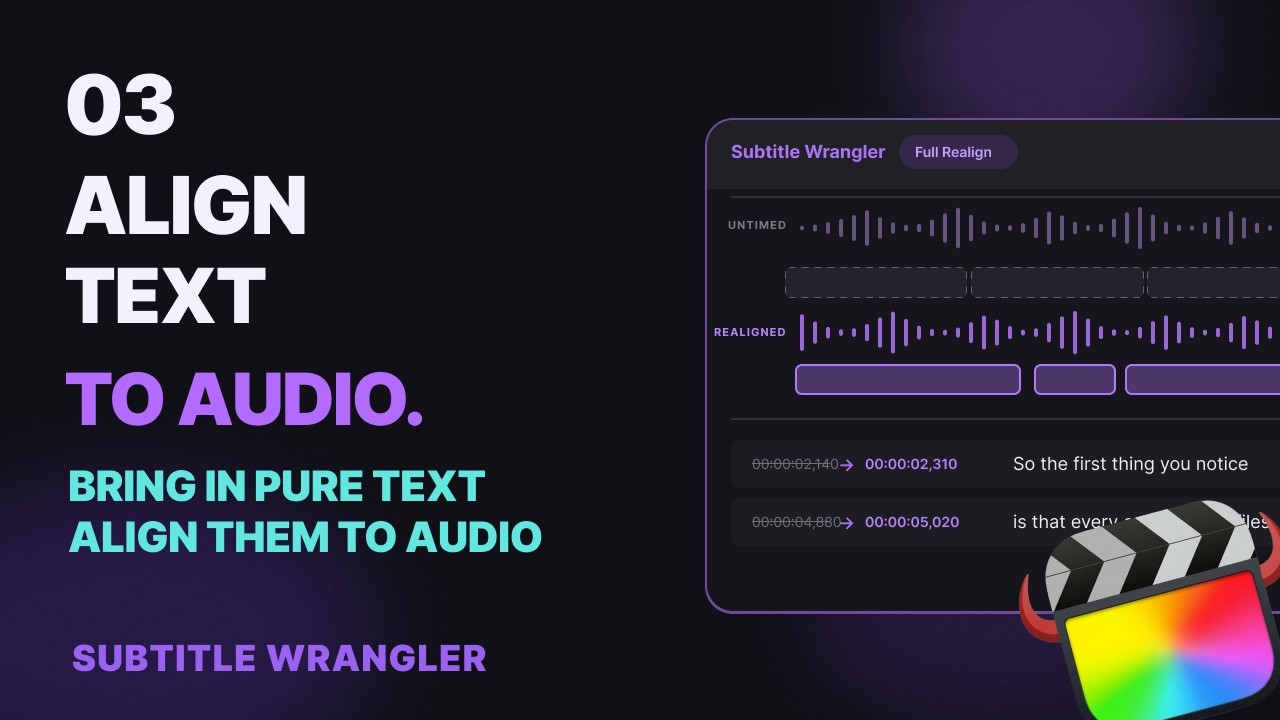
Paste your script into Subtitle Wrangler, one line per subtitle, load the recording and click Full Realign: local AI times every line to the speech without changing a word. Fix anything on the waveform, then export .fcpxml titles for Final Cut Pro.
Steps
-
Load the recording and paste your script
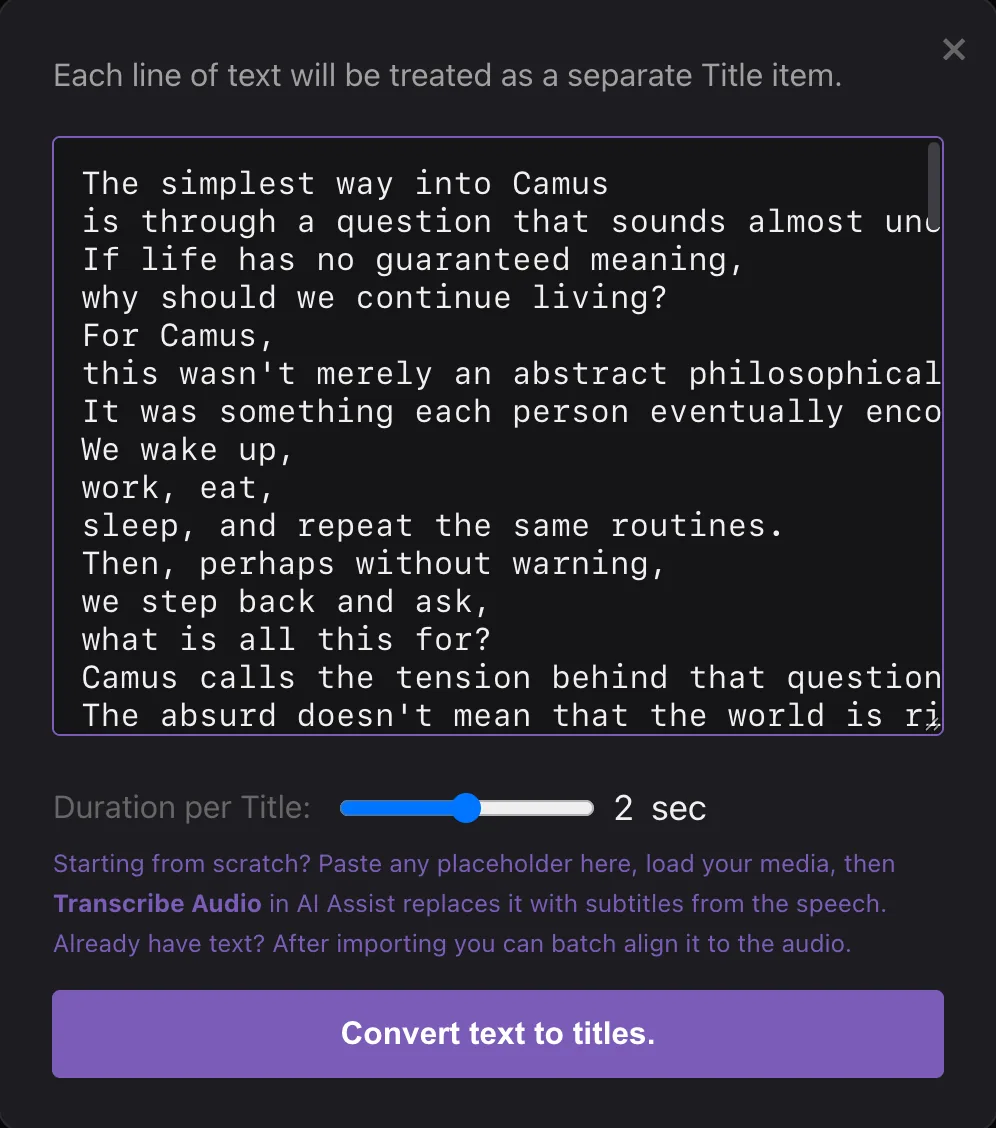
Click Start New, then Load Media and pick the video or audio your script belongs to. Then click Paste Text In, paste the text and click Convert text to titles. Each line becomes one subtitle, so break the script where you want the subtitles to break; blank lines are skipped. Have a .txt file? Import a file opens the same box.
-
Click Full Realign
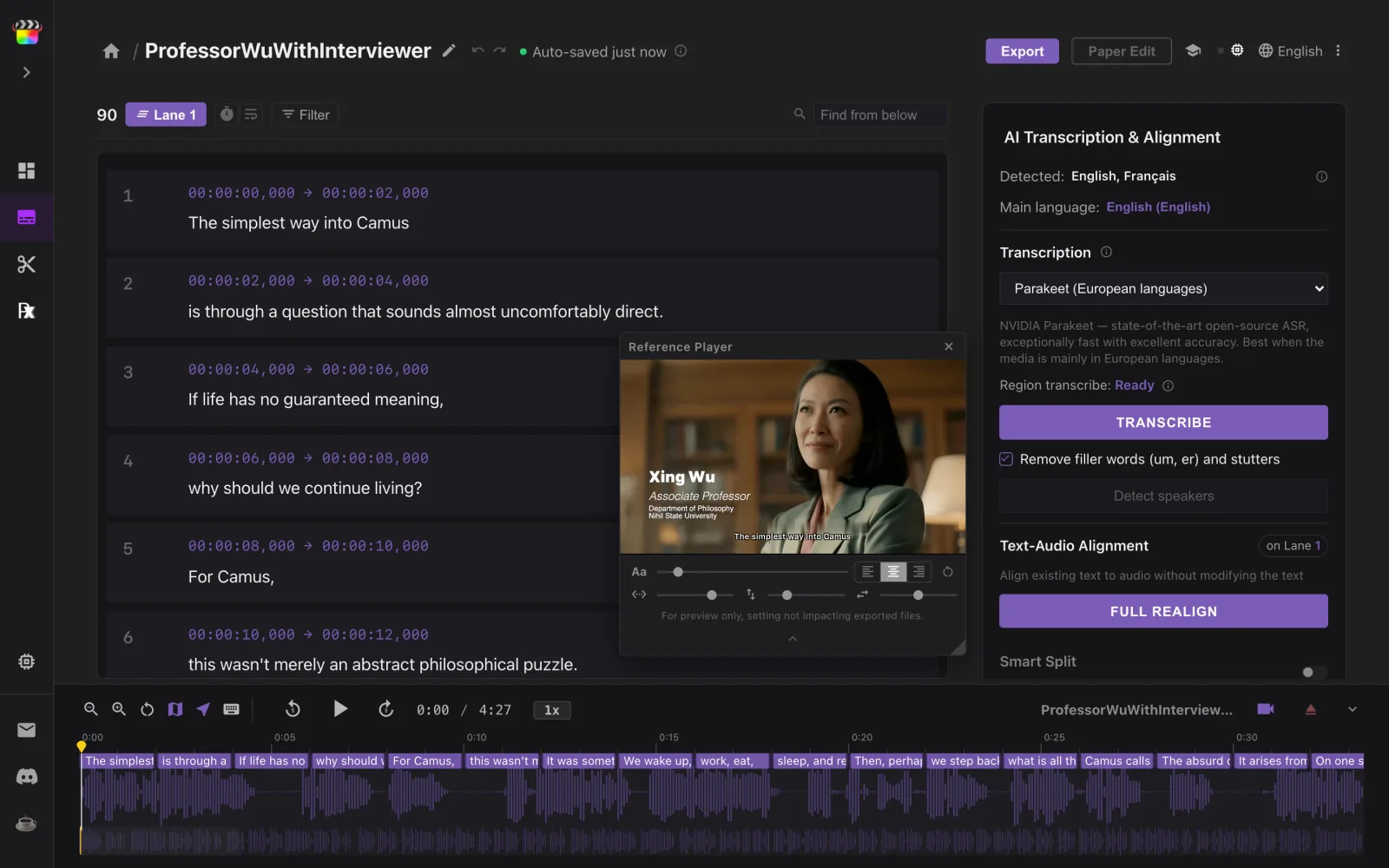
Every line now sits on the waveform as a 2-second placeholder. In AI Transcription & Alignment, click Full Realign, then Realign Audio. Local AI listens to the recording and moves each line to where it is spoken. It never changes your words, and ⌘Z undoes the whole run. The first time, the model downloads once — about 1.3 GB for European languages.
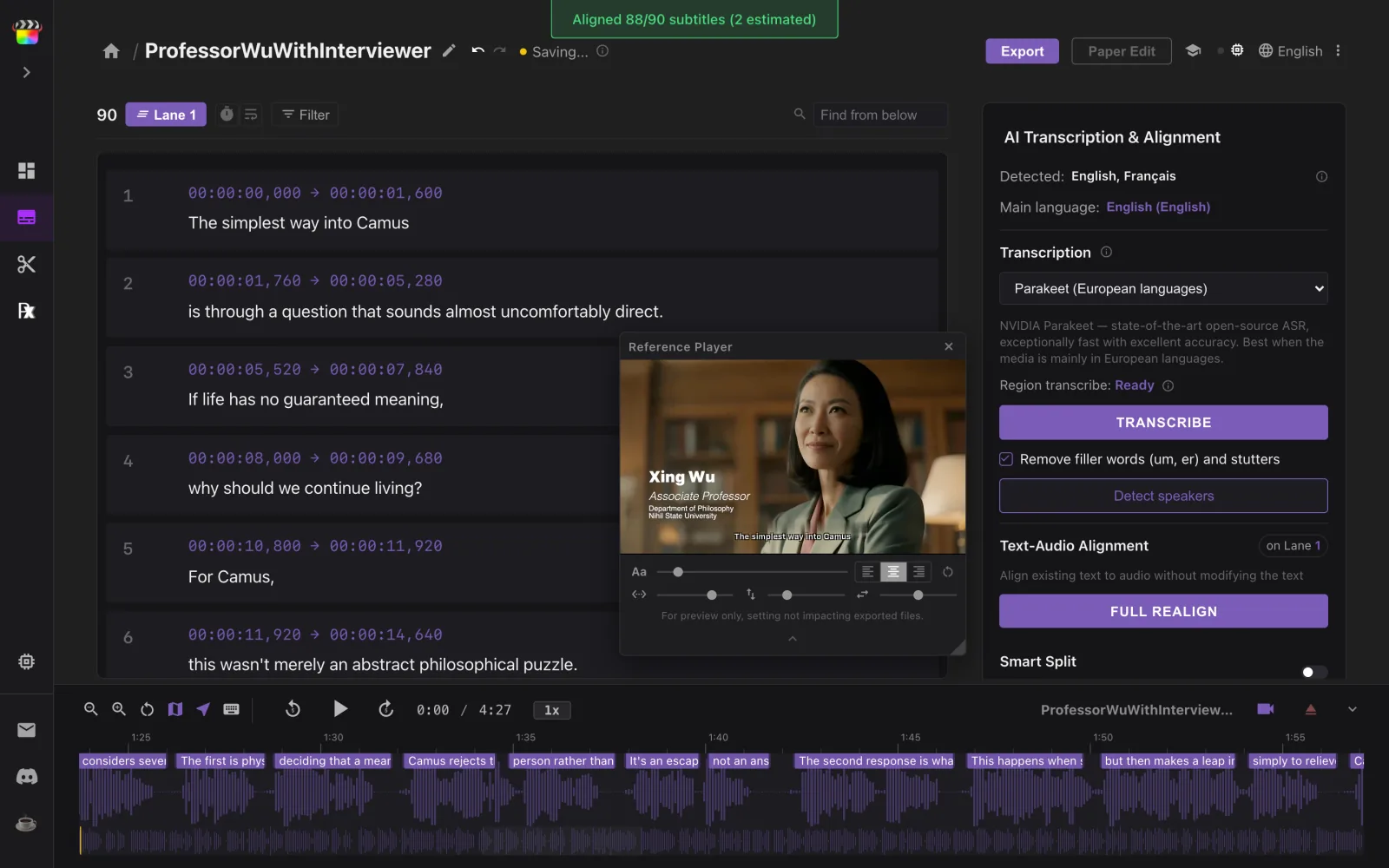
When it finishes, a message says how many lines it matched and how many it estimated. Estimated lines sit between their matched neighbours — play through and check them.
-
Fix anything on the waveform
Double-click to fix a word, drag a block’s edges to retime it, press B and click a word to split there, ⌘J to join, ⇧B to join and re-split. Subtitle Wrangler is built for this step — the shortcuts follow Final Cut Pro’s.
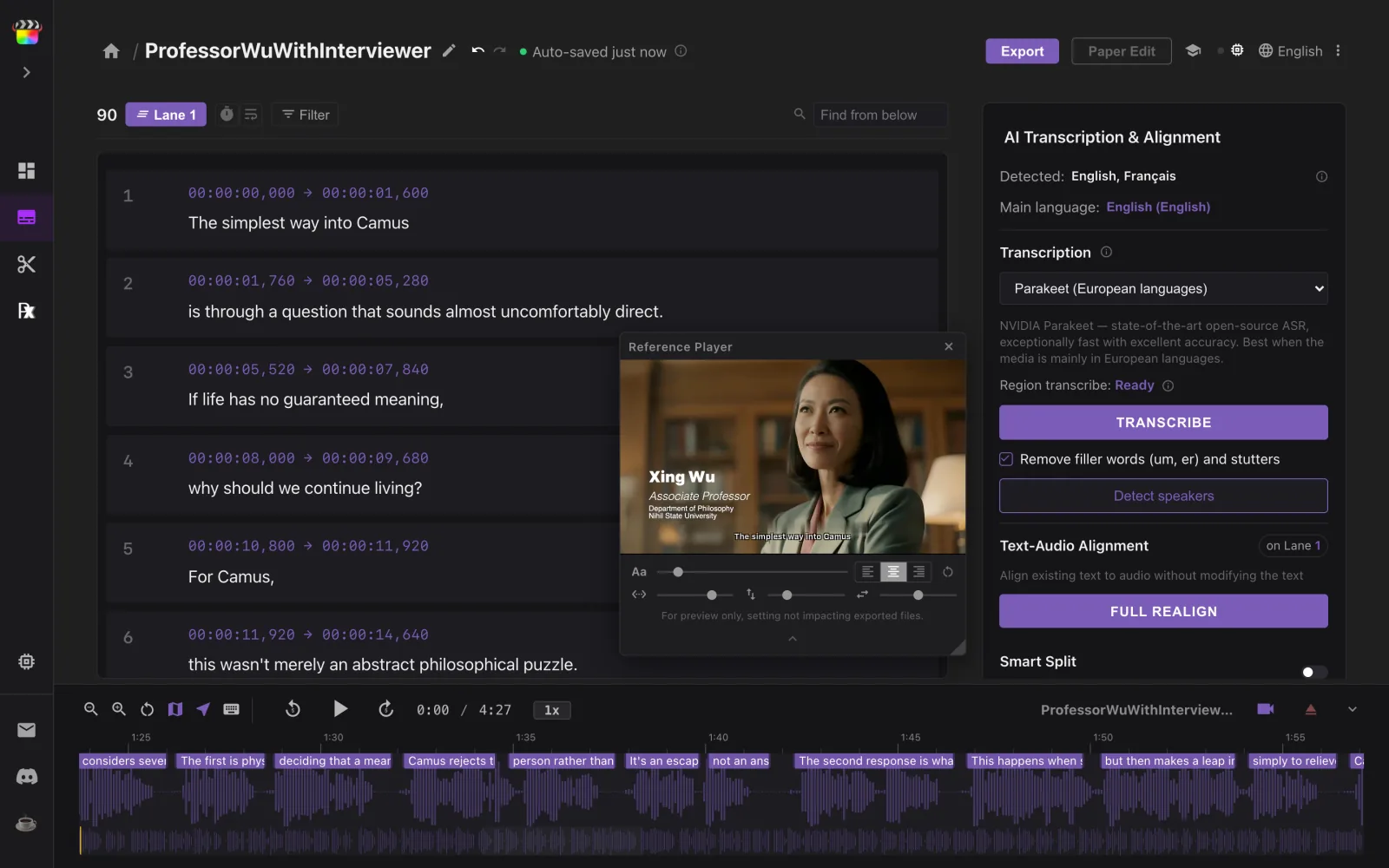
Now that the text is aligned, turn on Smart Split and every split lands where that word ends in the audio (one-time ~236 MB download).
-
Export FCPXML titles
Click Export, set the frame rate and frame size of your Final Cut Pro project, then click .fcpxml (FCP Titles). Need an SRT instead? Click .srt in the same dialog.
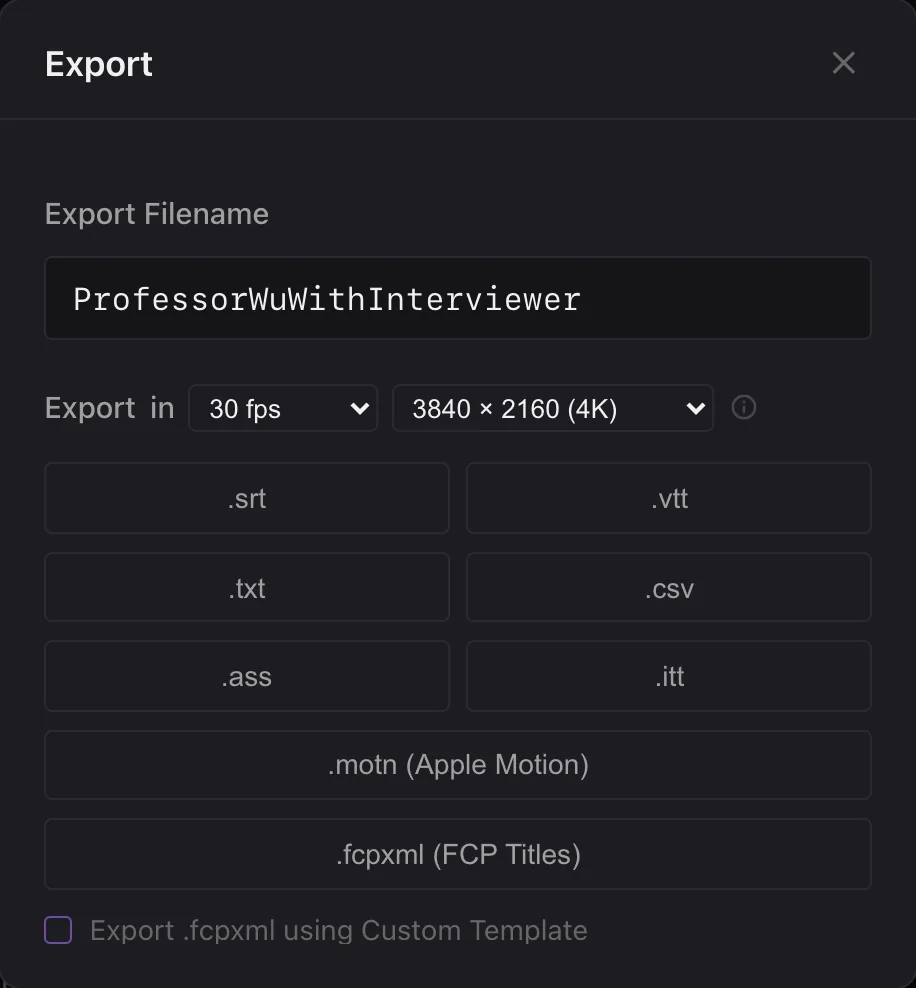
Want your own title style? Tick Export .fcpxml using Custom Template and drop in an .fcpxml with one styled title. Third-party titles work too.
-
Import into Final Cut Pro
In Final Cut Pro, choose File ▸ Import ▸ XML… and select the file. The titles arrive in a new event named Imported Subtitles — copy them into your own timeline.
Good to know
Does it change my words?
No. Full Realign only moves timings; every word stays exactly as you pasted it. ⌘Z undoes the whole run.
What if the script doesn’t match the recording exactly?
Small differences are fine: ad-libs, skipped words, typos. Lines it cannot match with confidence are placed between their neighbours, and the finish message counts them. If most of the text does not match the audio, nothing changes and Subtitle Wrangler tells you why.
How should I break up the script?
One line per subtitle. Each line becomes one title, blank lines are skipped and long lines are not split for you. You can still split and join afterwards: B lets you split at any word, ⌘J joins.
Why not just transcribe the video?
Transcription guesses the words. Your script already has them right — names, spellings, punctuation — so realigning keeps your exact text and only adds the timing. No script? Use the transcription guide.
Which languages and browsers does it work with?
The same as transcription: Parakeet for 25 European languages, SenseVoice for Chinese, Japanese and Korean, Whisper Turbo for most others. The script must be in the language that is spoken. It needs a browser with WebGPU; a Mac with Apple Silicon on Google Chrome is recommended.